
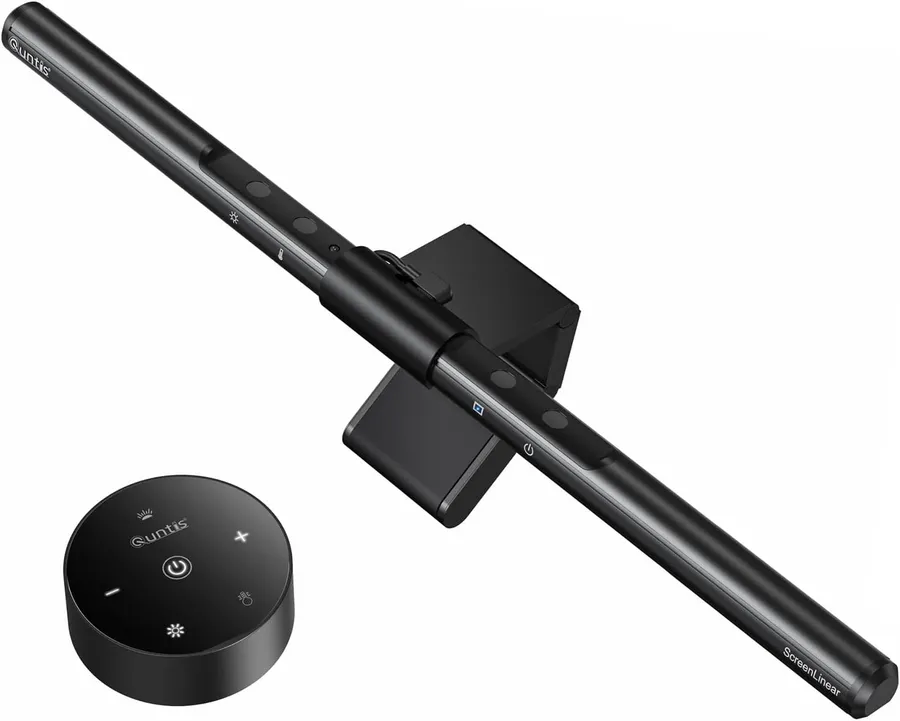
The best gadgets for remote workers in 2026 are a 4K webcam (EMEET C960) for meetings, a USB-C hub (UGREEN 5-in-1) for laptop ports, a monitor light bar (Quntis) for eye strain, a UPS battery backup (CyberPower CP1500PFCLCD) for outage protection, and a vertical ergonomic mouse (Logitech Lift) for all-day comfort — but the right mix depends on whether you take video calls, work in a sunny room, or live in a region with unstable power.
Remote work is here to stay, and the difference between a frustrating home setup and a productive one is a handful of well-chosen gadgets.
What is the single most important gadget for remote work?
A 4K webcam with PDAF autofocus makes the biggest difference per dollar. The EMEET C960 ships 4K resolution, automatic light correction and dual omni mics for under $50. Even in a dim room with the window behind you, autofocus and light correction pull a usable image out of the sensor.
Do I need a UPS for working from home?
A UPS battery backup is the most underrated home-office gadget. It keeps your router, monitor and computer running through brief outages, and its sinewave output protects sensitive electronics from voltage spikes. The CyberPower CP1500PFCLCD at 1500VA/1000W covers a typical desk for 8 to 12 minutes at full load — enough to save work and shut down cleanly when the lights flicker.
What gadgets reduce eye strain during long workdays?
For your desk, a monitor light bar reduces eye strain, and an under-desk cable tray keeps your workspace clean enough to think in. Both are cheap and install in minutes. The Quntis screen-line lamp auto-dims to the room and avoids screen glare, which is the most common cause of headaches during long sessions.
What is the best USB-C hub for a remote work setup?
A 5-in-1 USB-C hub gives your laptop the ports it needs — HDMI for the second monitor, USB-A for your keyboard and phone. Pick one with 100W pass-through so it also powers your laptop. The UGREEN 5-in-1 with 4K HDMI and 100W PD is a reliable value pick that works with macOS, Windows and ChromeOS out of the box.
How to build a productive home office on a budget
A practical starter shopping list, in order of impact:
- Webcam (under $50): the single biggest meeting-quality upgrade.
- Monitor light bar (under $40): reduces eye strain and gives your desk a finished look.
- USB-C hub (under $25): turns any modern laptop into a one-cable dock.
- Vertical mouse (under $50): prevents wrist strain during long days.
- UPS battery backup (under $300): protects your work during power blips and brownouts.
You can build a complete home-office setup with the five above for under $500 total — less than one month of office commute costs in gas, parking and coffee.
As an Amazon Associate, I earn from qualifying purchases.
Frequently Asked Questions
A good webcam. It changes how colleagues perceive you in every meeting and is the highest-impact upgrade for your professional presence.


