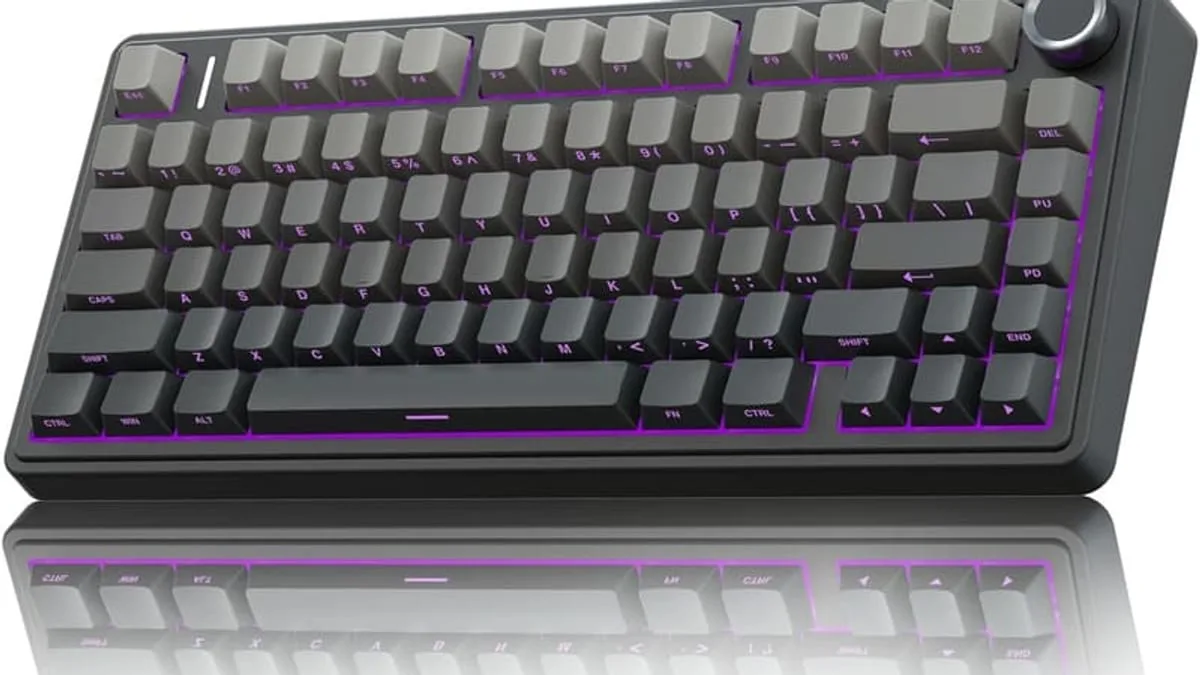
The best mechanical gaming keyboard in 2026 is the AULA F75 Pro for 75% hot-swap value, the Keychron Q1 HE for a premium Hall-effect board, and a wired TKL with linear switches for esports-tier latency — but the right pick depends on whether you want hot-swap switches, wireless with low-latency dongle, or a compact 75% layout.
A mechanical keyboard changes how your fingers feel about typing. For gaming, the things that matter most are switch speed, keycap quality and latency-free wireless.
What is the best mechanical keyboard for gaming in 2026?
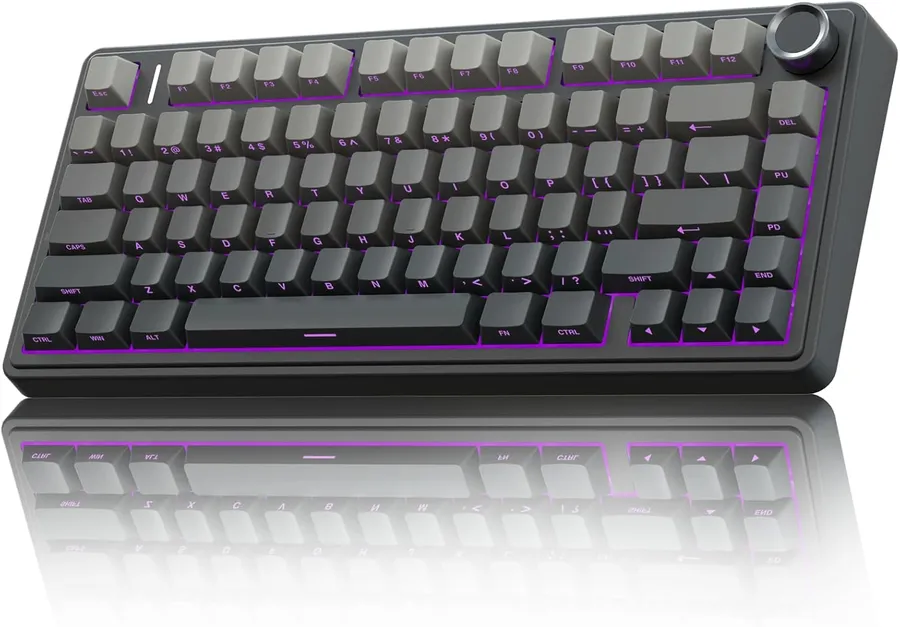
The AULA F75 Pro is a standout 75% board: compact layout with dedicated arrow keys, a volume knob, RGB backlighting, pre-lubed Reaper switches and side-printed PBT keycaps that never wear off. It connects three ways — 2.4GHz wireless, Bluetooth 5.0 or USB-C — so you can use it on PC, Mac and consoles.
What are hot-swappable switches and why do they matter?
Hot-swappable switches are the feature to look for: you can replace the switches without soldering, which means you can tune the feel of every key and swap in new switch types whenever you like. Linear switches are smoother and faster for gaming; tactile switches give a bump you can feel for typing accuracy; clicky switches add an audible click that some people love and coworkers hate.
Is wireless mechanical keyboard latency a problem for gaming?
Wireless gaming keyboards now match wired latency on the 2.4GHz dongle connection — typical end-to-end latency is 1 to 5 ms, well below the threshold most people can perceive in gameplay. That is the mode to use for competitive play; Bluetooth is fine for typing and productivity but adds 30 to 50 ms of latency.
What are the best keycaps for a mechanical keyboard?
Keycaps matter more than people think. PBT plastic feels better and lasts years longer than the cheaper ABS alternative, which develops a shiny look where your fingers rest. Look for double-shot or dye-sublimated legends so the letters never fade.
What keyboard layout should a gamer pick?
If you are unsure about layout, try 75% first — it keeps the keys you actually use (arrows, function row, nav cluster) while freeing desk space for a large mouse pad. Full-size is for users who need a numpad for work; tenkeyless (TKL) sits between them.
What specs actually matter on a mechanical keyboard?
A short checklist to compare any two boards:
- Switch type: linear (smooth, fast), tactile (bump for typing), clicky (bump + audible click). Linear is the gaming default.
- Hot-swap PCB: lets you change switches without soldering, so you can re-tune the feel later.
- Keycap material: PBT outlasts ABS by years and never gets shiny on the home row.
- Connectivity: 2.4GHz wireless for low-latency gaming, Bluetooth 5.0+ for portable use, USB-C wired for zero-latency esports.
- Polling rate: 1000 Hz (1 ms) is the modern default; anything below feels laggy in fast-paced games.
A short decision rule: spend on switches and keycaps, save on RGB. The feel is what makes a mechanical keyboard worth owning; the lights are a bonus.
As an Amazon Associate, I earn from qualifying purchases.
Frequently Asked Questions
It means you can pull out the switches and insert new ones without soldering. You can change the feel of your keyboard in under a minute.


